IstoVisio · B2B · VR · Science
Reimagined VR Menu
for Global Scientific
Discovery
syGlass · May 2024
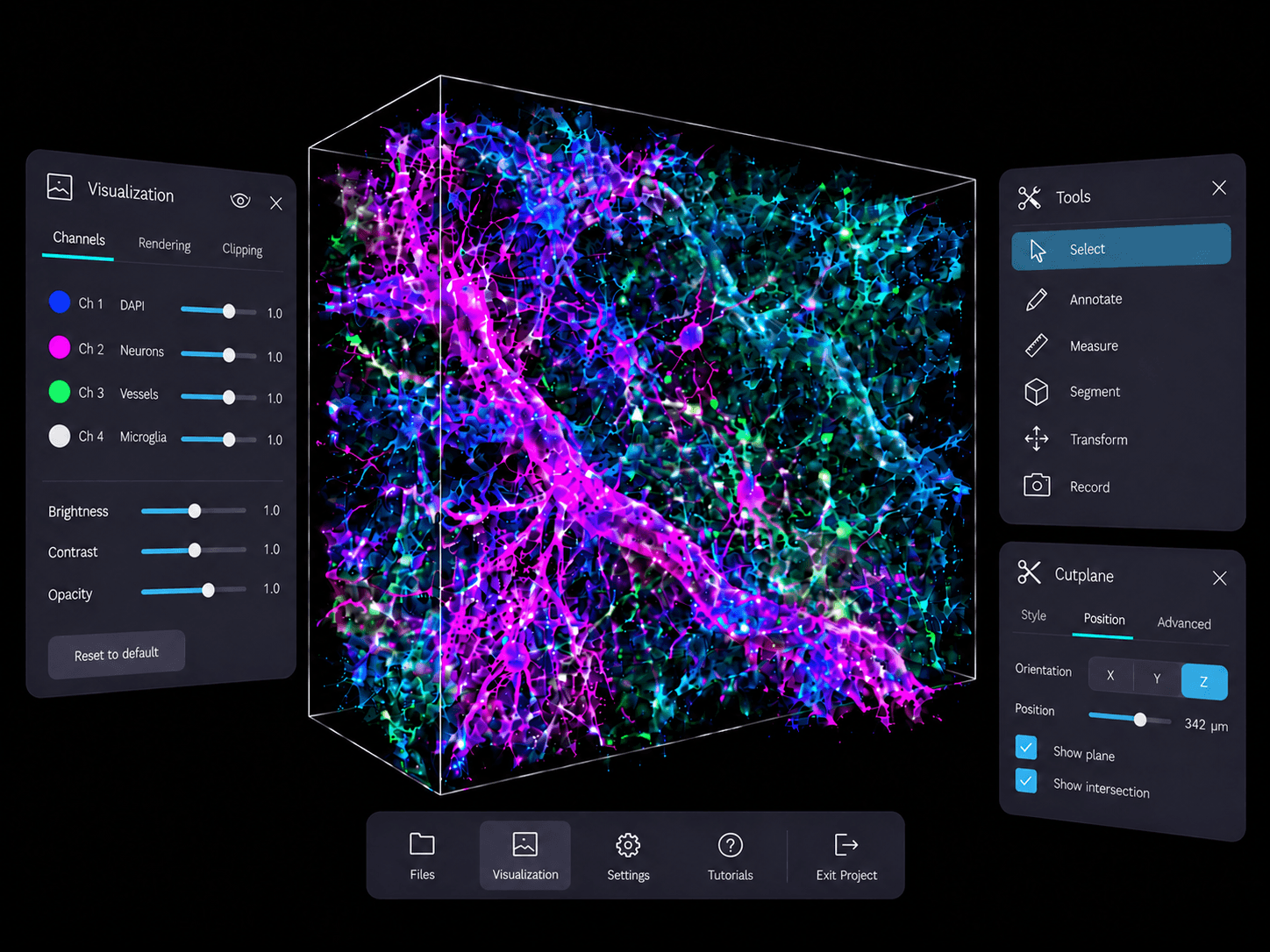
syGlass is a VR-based scientific visualization platform that helps scientists explore and analyze massive 3D datasets. As the platform evolved, the menu system grew to support an increasing number of tools and workflows, making navigation a critical part of the overall user experience.
The project focused on reducing workflow friction and improving access to high-frequency tools so scientists could stay focused on analysis instead of interrupting their workflow to search for functionality.
Problem
syGlass offered powerful scientific capabilities, but the product experience had become a barrier to efficient scientific workflows. Scientists constantly switched between tools while analyzing complex datasets, yet the interface required them to repeatedly scan through a dense list of tools to find the functionality they needed. These interruptions increased the risk of users switching to alternative solutions with simpler workflows.
The business needed to improve usability and reduce workflow interruptions without sacrificing the advanced functionality scientists relied on, while also helping reduce customer churn.
Solution
I redesigned the tool navigation system to make tools easier to access and faster to learn.
The redesign included:
- • Creating a more adaptive workflow experience tailored to how individual scientists work by allowing users to pin and preserve frequently used tools directly within their workflow
- • Reorganizing tools based on behavioral usage patterns and workflow frequency
- • Grouping tools by task context to make functionality easier to understand and navigate
Impact
80% of 32 post-launch survey respondents reported being more satisfied with the updated experience.
The redesign also:
- • Reduced repeated searching for frequently used tools, based on usability testing observations
- • Improved onboarding by simplifying navigation patterns and reducing usability friction
- • Created a more scalable foundation for future product growth
My role
As the founding designer, I:
- • Led the redesign across research, UX strategy, interaction design, and workflow optimization
- • Collaborated with scientists and cross-functional teams to identify workflow bottlenecks and redesign the navigation experience
- • Created a scalable interaction system that balanced usability with the complexity required for advanced scientific analysis
Before
After
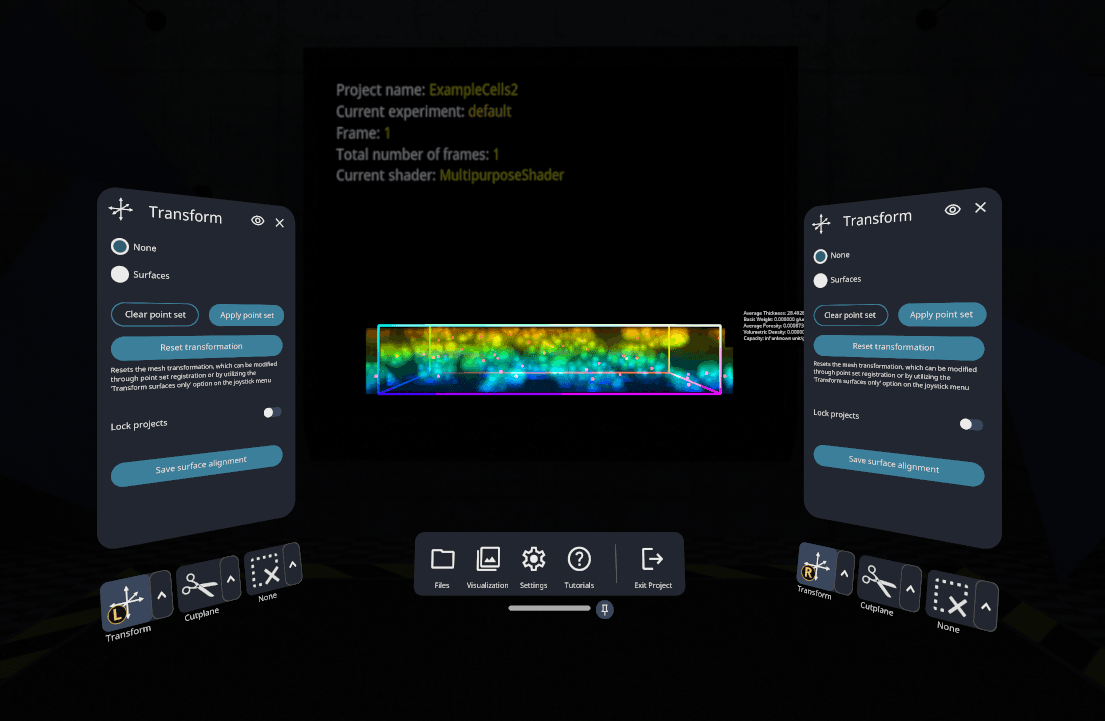
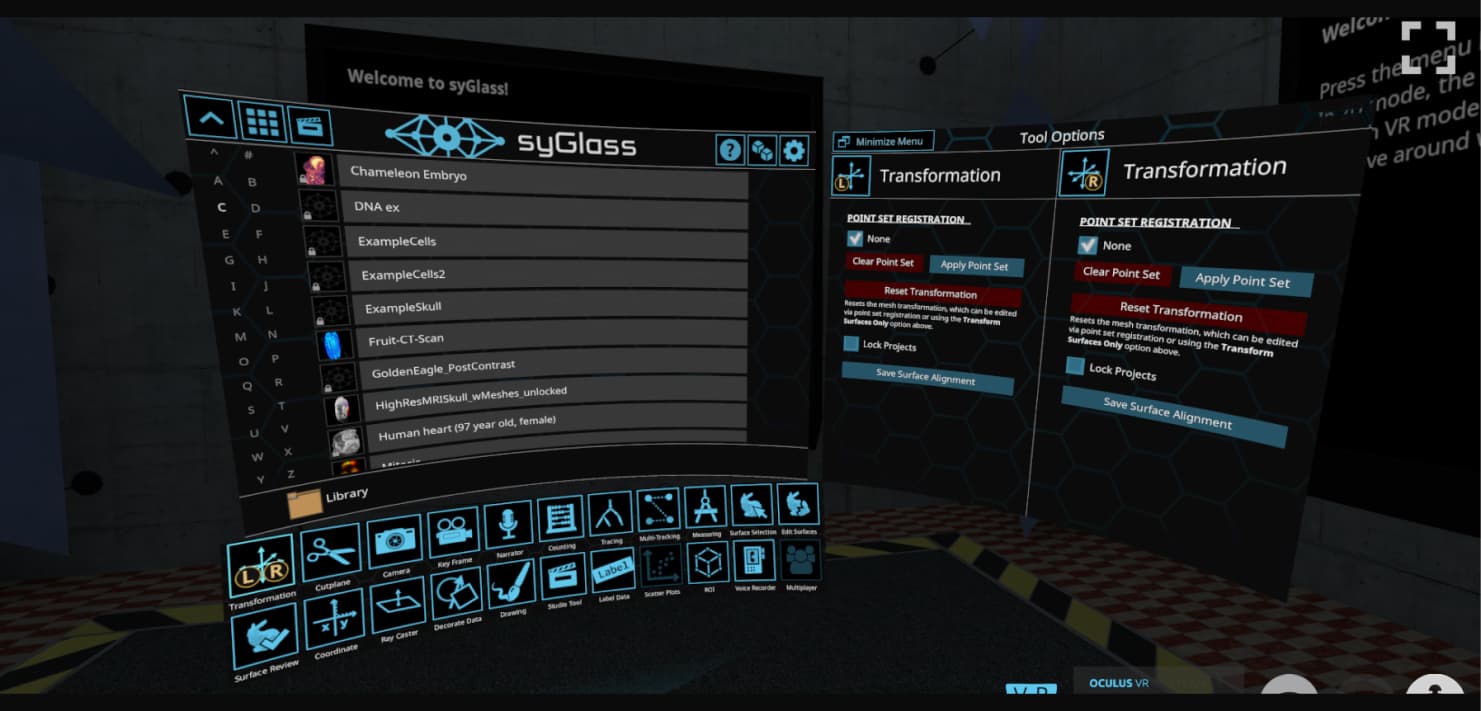
When I joined, syGlass was already used for advanced 3D data analysis, but its navigation had grown harder to use as workflows became more complex. Over eight months, I redesigned the menu system as the sole designer. This case study covers one part of that work: how scientists reach and switch between tools during analysis.
I ran structured interviews and observational sessions with seven scientists in the United States and Europe, watching how they moved between tools during real analysis tasks. The pattern was consistent: scientists repeatedly interrupted their analysis to locate and switch between tools.
“I know the tool exists somewhere, but every time I need it, I have to stop and search for it again. After a while, it starts breaking your concentration.”
Research Scientist · Paris, France
High-frequency workflows required repetitive navigation
Scientists relied on a small set of tools, but had to search and navigate again every time they switched.
Tool organization did not match user mental models
Scientists often weren't sure which tools supported a task, leading to hesitation and trial and error.
Navigation disrupted analytical focus
Even experienced users lost momentum when switching tools, because the menu followed the interface's structure and not the sequence of their work.
I tested three navigation approaches to understand how scientists could access frequently used tools without repeatedly interrupting their analysis. In the first round, five scientists, from novice to expert, compared Concepts A and B side by side in A/B usability sessions.
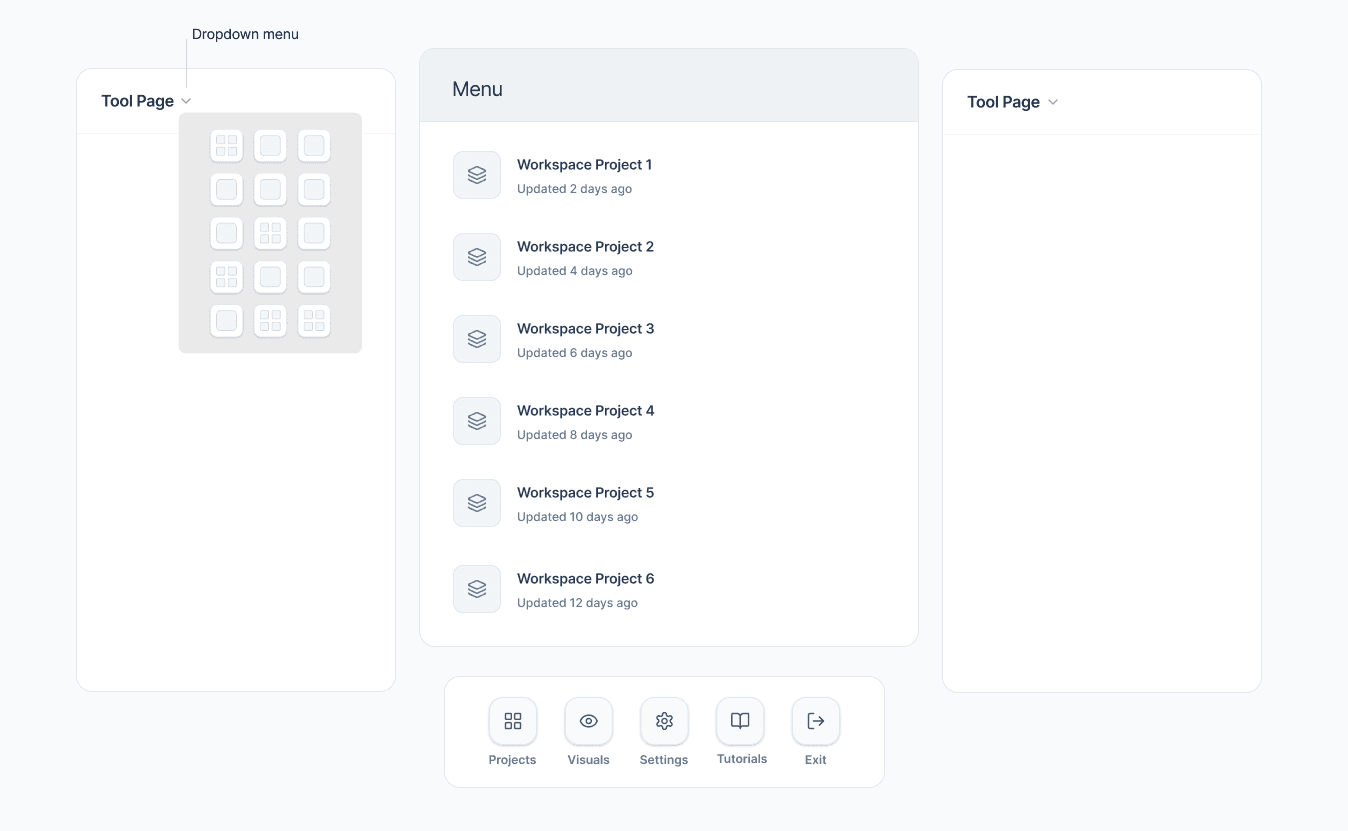
Dropdown navigation
Concept A — Added friction
- What I tested
- Whether hiding tools in a dropdown would make the interface feel less overwhelming.
- What I observed
- Scientists had to reopen the dropdown for each tool switch, interrupting their analysis.
- Trade-off
- A cleaner interface required additional steps during frequent tool switching.
- What I decided next
- I ruled out hiding frequently used tools behind additional navigation.
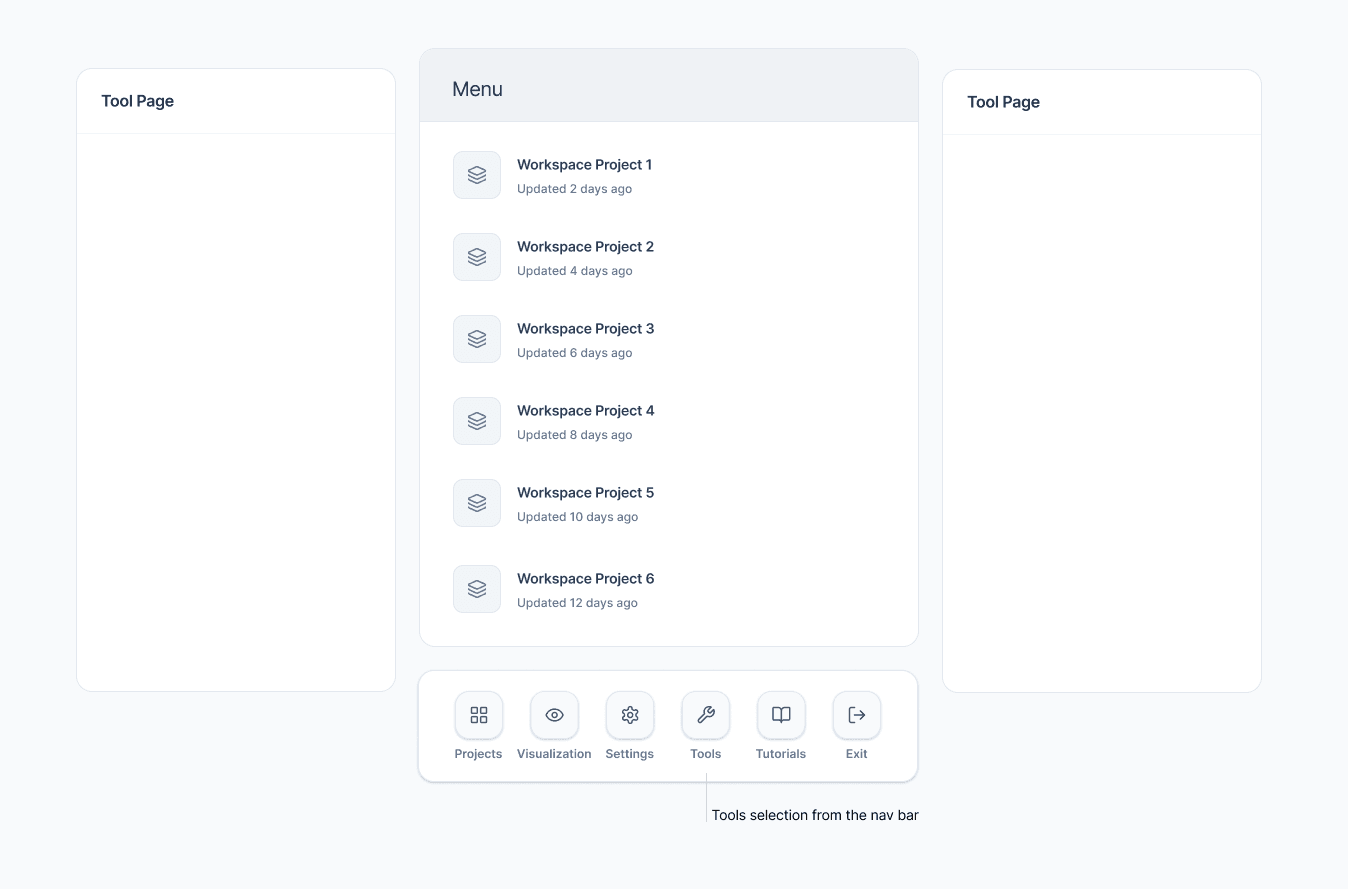
Persistent navigation bar
Concept B — Improved visibility, limited speed
- What I tested
- Whether a persistent navigation bar would make tools easier to access.
- What I observed
- Tools were easier to locate, but scientists still scanned a dense list during analysis.
- Trade-off
- Better discoverability without reducing the effort of repeated tool selection.
- What I decided next
- I kept persistent visibility and explored more direct access to frequently used tools.
Both concepts improved navigation, but neither eliminated repeated tool searching. I explored personalized access next, allowing scientists to keep frequently used tools within reach.
Personalized workflow system
Concept C — Strongest workflow fit
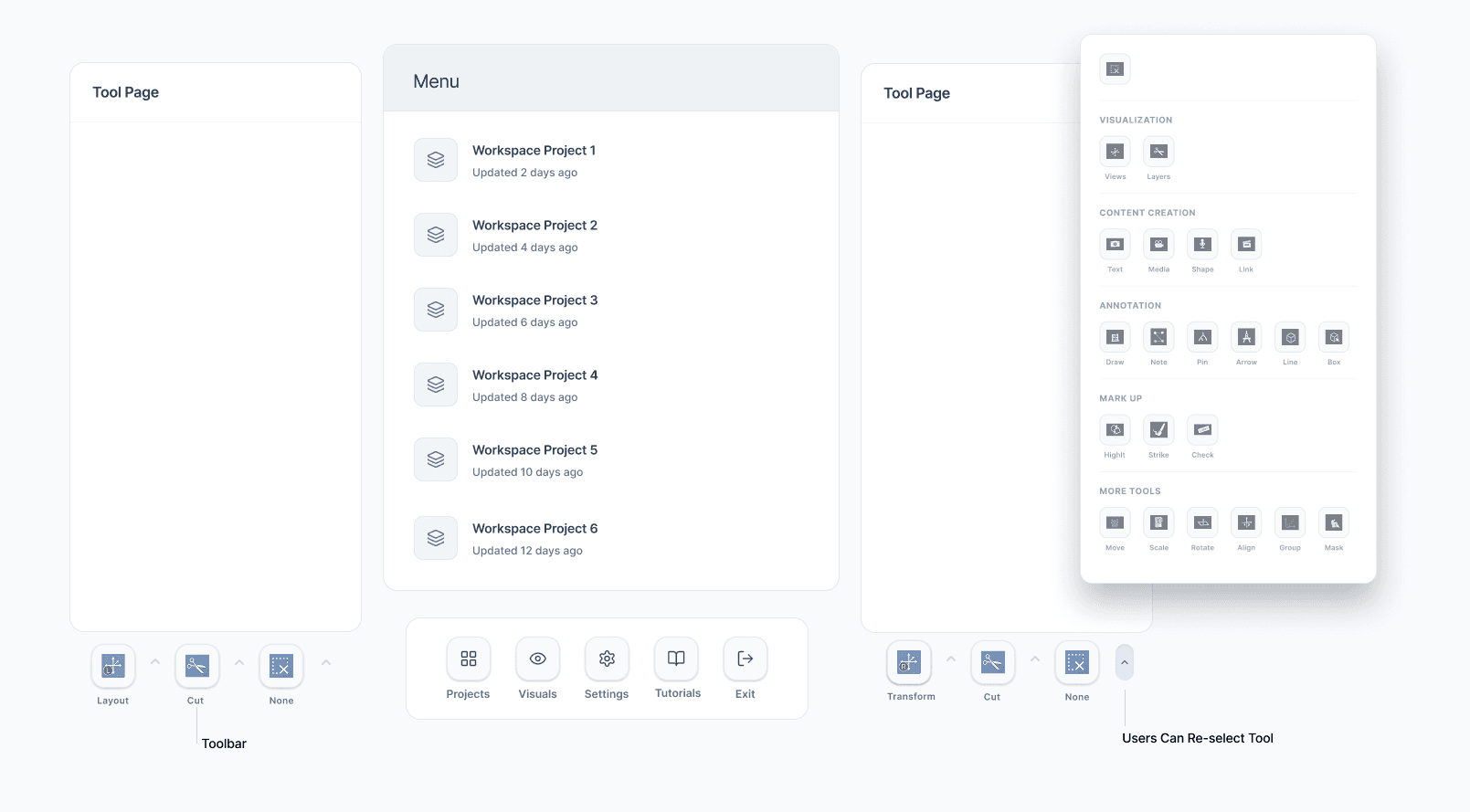
- What I tested
- With the same group of scientists, whether pinning frequently used tools in the workspace would reduce interruptions during analysis.
- What I observed
- Scientists switched between pinned tools without going back through navigation layers, and valued pinning most. Grouping the remaining tools by task made them easier to scan.
- Trade-off
- Pinning covers only the tools a scientist chooses to keep, so the rest still needed clear task-based grouping.
- What I decided next
- I selected this direction because it addressed the recurring tool switching that Concepts A and B left unresolved, and developed it into the final design.
The final design pairs personalized tool access with task-based organization: scientists pin the tools they use most to their workspace, and the rest are grouped by the task they support.
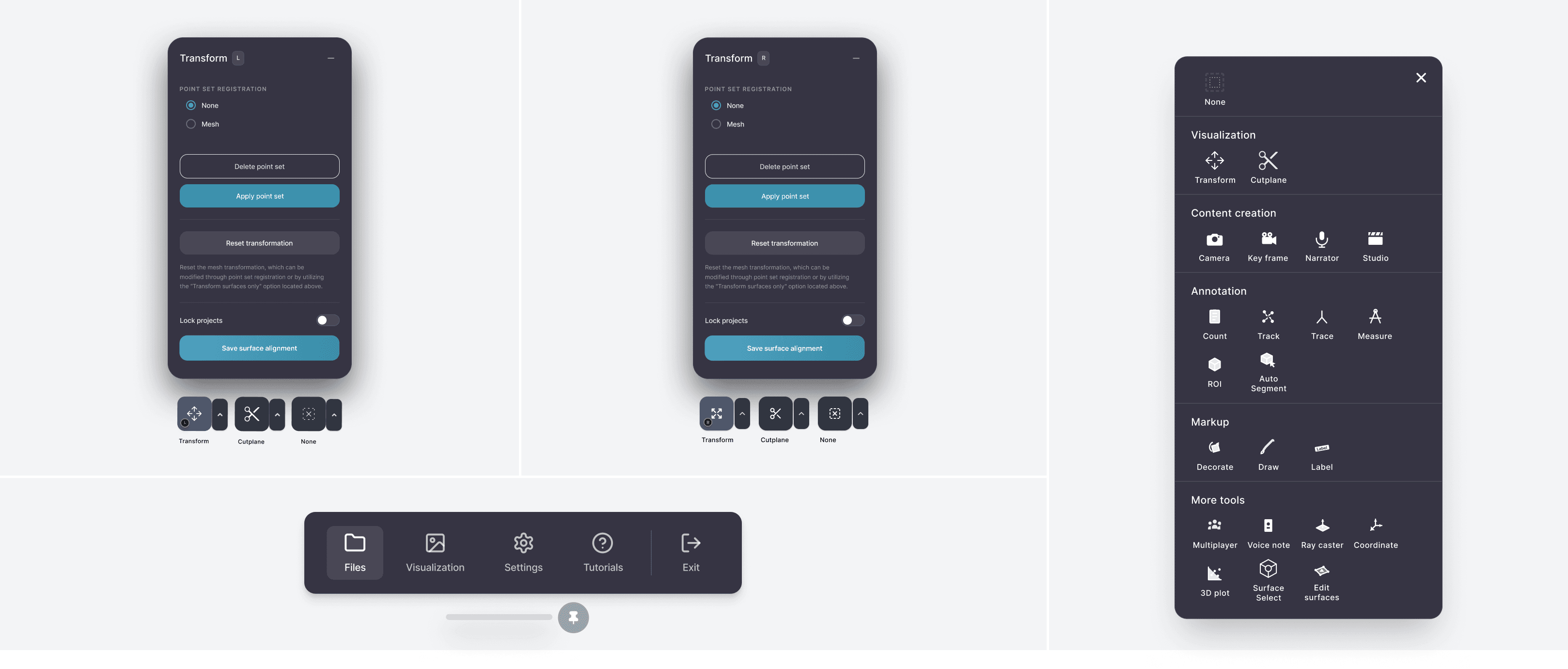
Within the first 30 days after launch, 80% of 32 post-launch survey respondents reported being more satisfied with the updated experience. Faster tool switching is a qualitative finding from the usability sessions above, where scientists moved between pinned tools without returning to the menu.
Testing three navigation approaches showed me how easily an interface can become more organized without becoming more efficient. The deciding factor was how scientists used tools during real analysis, particularly the small set of actions they repeated most often.
I carried that distinction into the final design: make frequently used tools immediately accessible while keeping the rest of the system understandable and discoverable.