Helping Researchers Use syGlass in Labs Without Internet Access
Some researchers worked in secure labs where computers weren’t allowed online. They already had a syGlass license, but couldn’t activate it on the computer where they needed to work.
IstoVisio · Desktop · Science
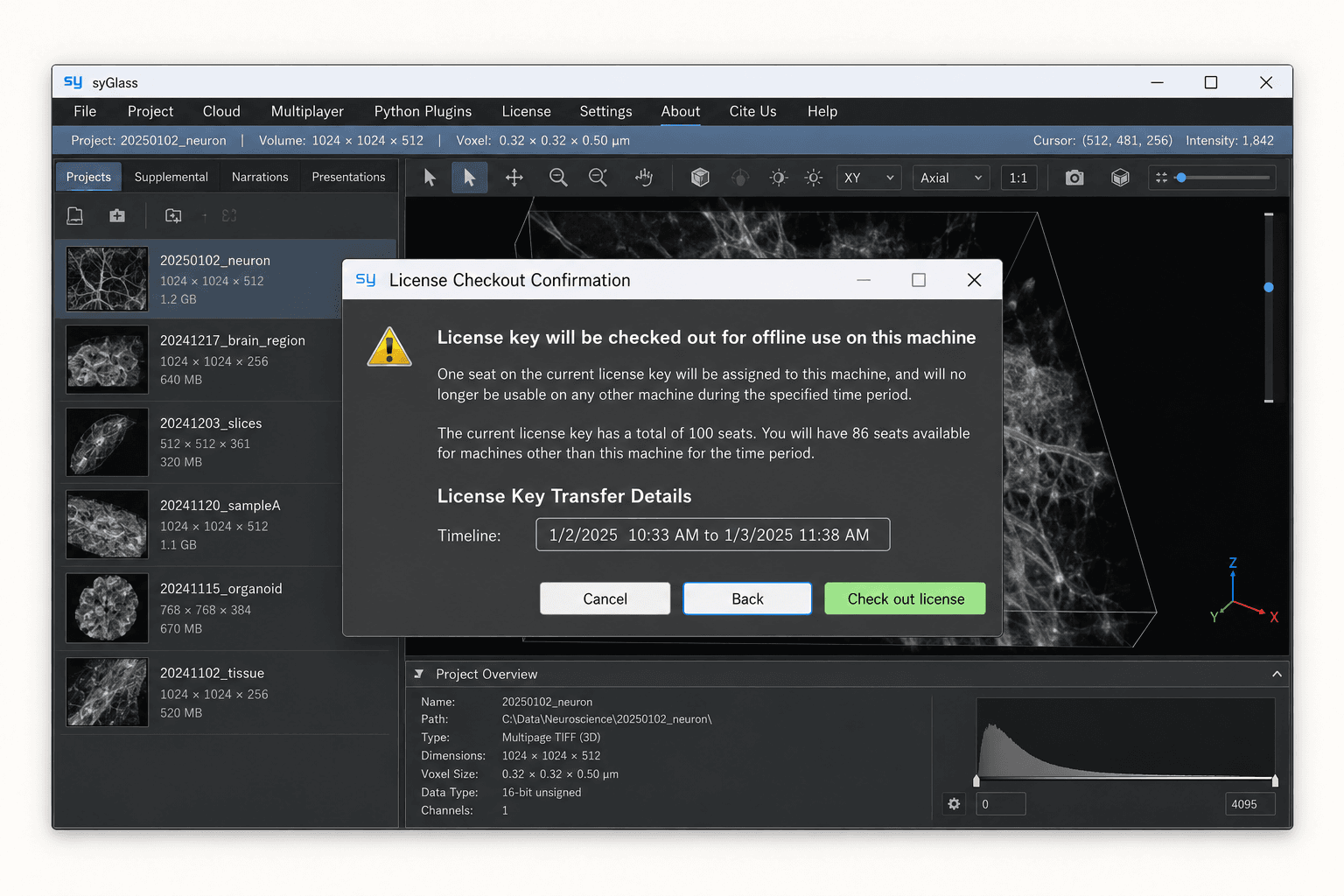
My contribution
Designed the offline licensing flow, confirmation, and transfer guidance in collaboration with the CTO and engineers.
Key constraints
- • The destination computer had to stay offline.
- • A license seat was reserved for a specific computer and period.
- • Limited engineering capacity kept a visual redesign outside the scope.
Outcome
Shipped, giving researchers offline access to syGlass on their lab computers.
The need surfaced through support tickets and conversations with leadership and engineering. Staying offline was a requirement of these customers’ work.
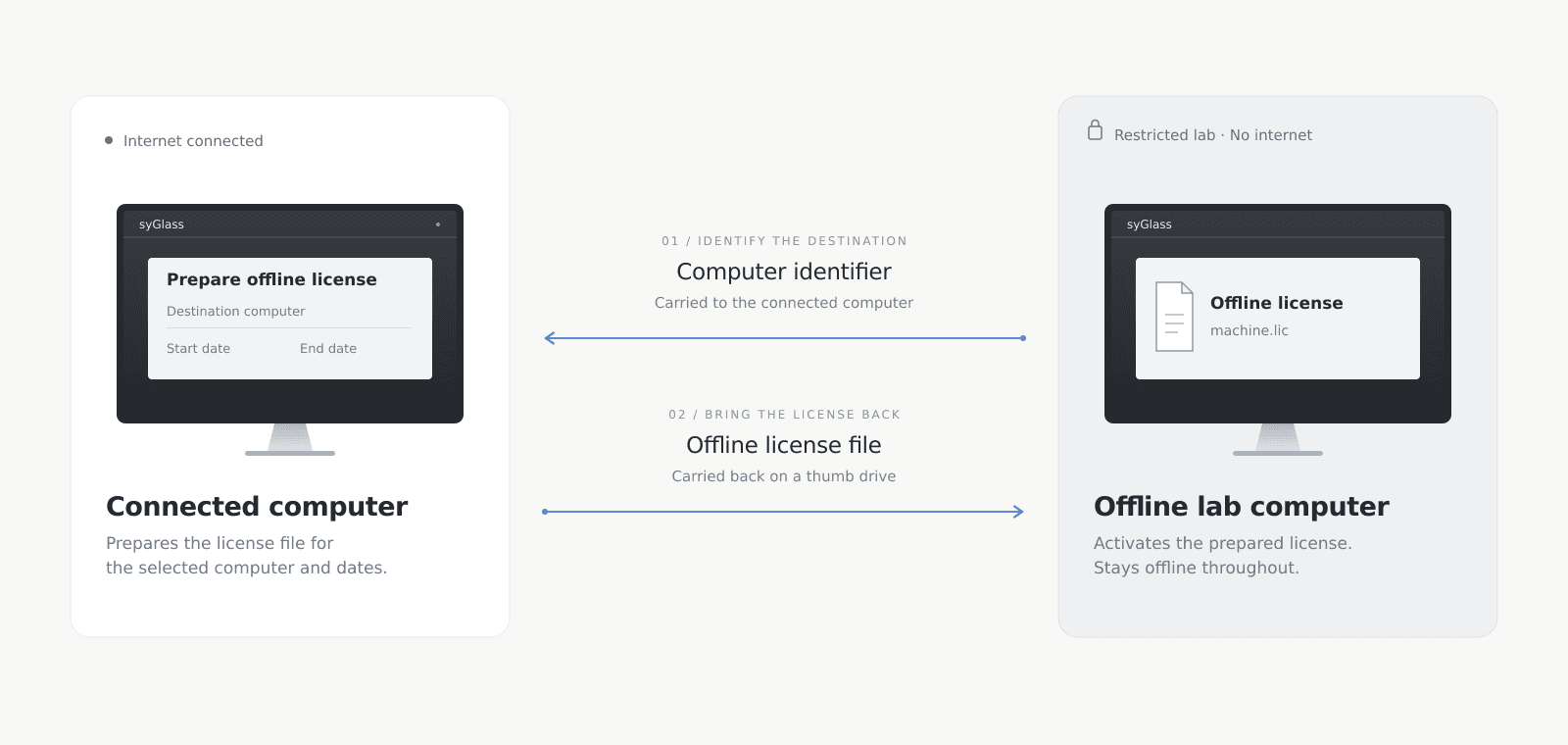
The technical solution needed to reserve a license seat for a specific computer and period. My design work focused on helping researchers understand that commitment and complete a transfer that crossed two computers.
With limited engineering capacity, we kept the existing visual interface and focused the work on enabling offline access: making seat reservations understandable and helping researchers complete the transfer.
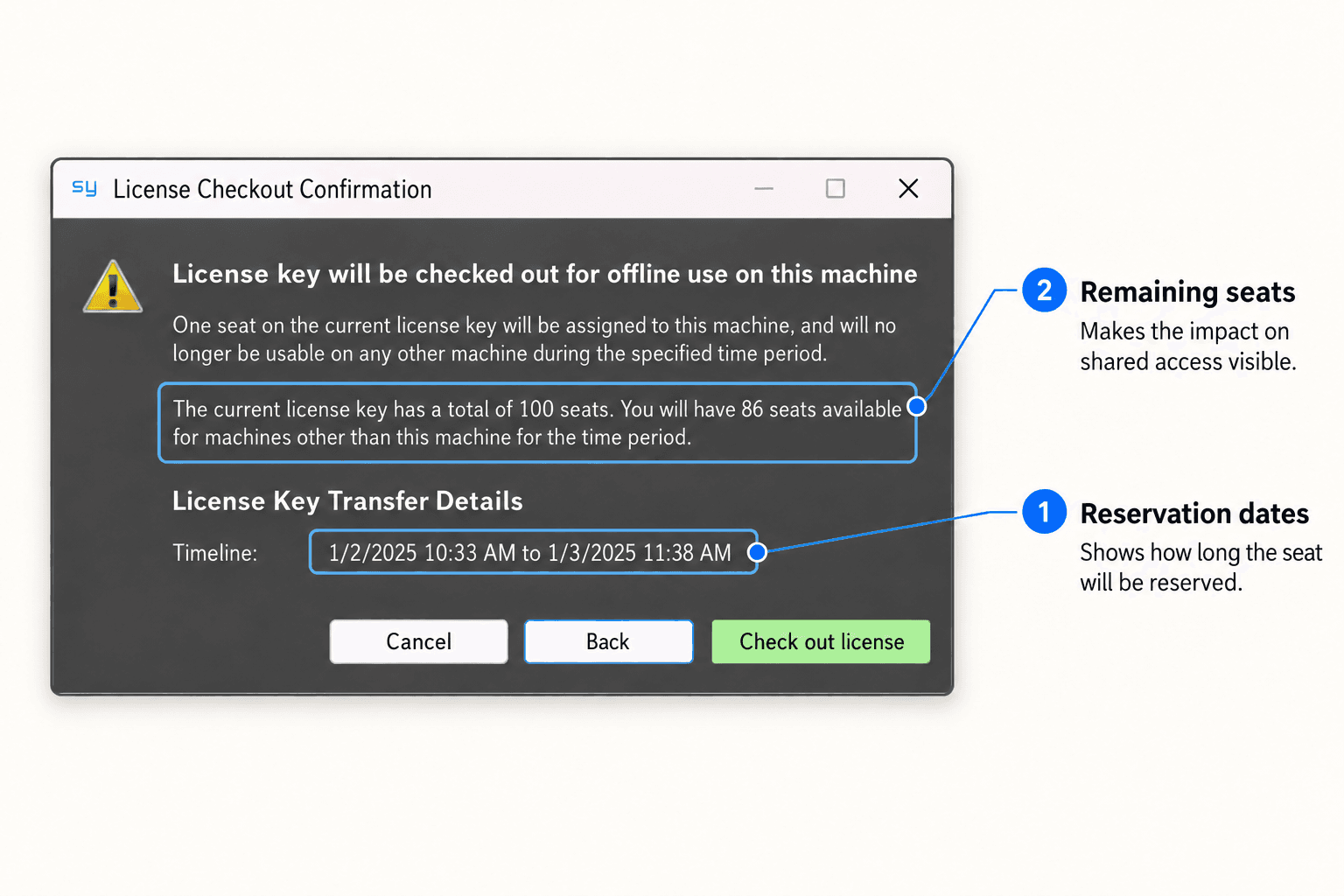
Reserving a seat for offline use meant it would be unavailable to other computers during the selected period. That could affect colleagues who shared the same license, so the decision affected access beyond a single computer.
I brought the reservation period and remaining seats into the confirmation so researchers could understand the consequences before committing.
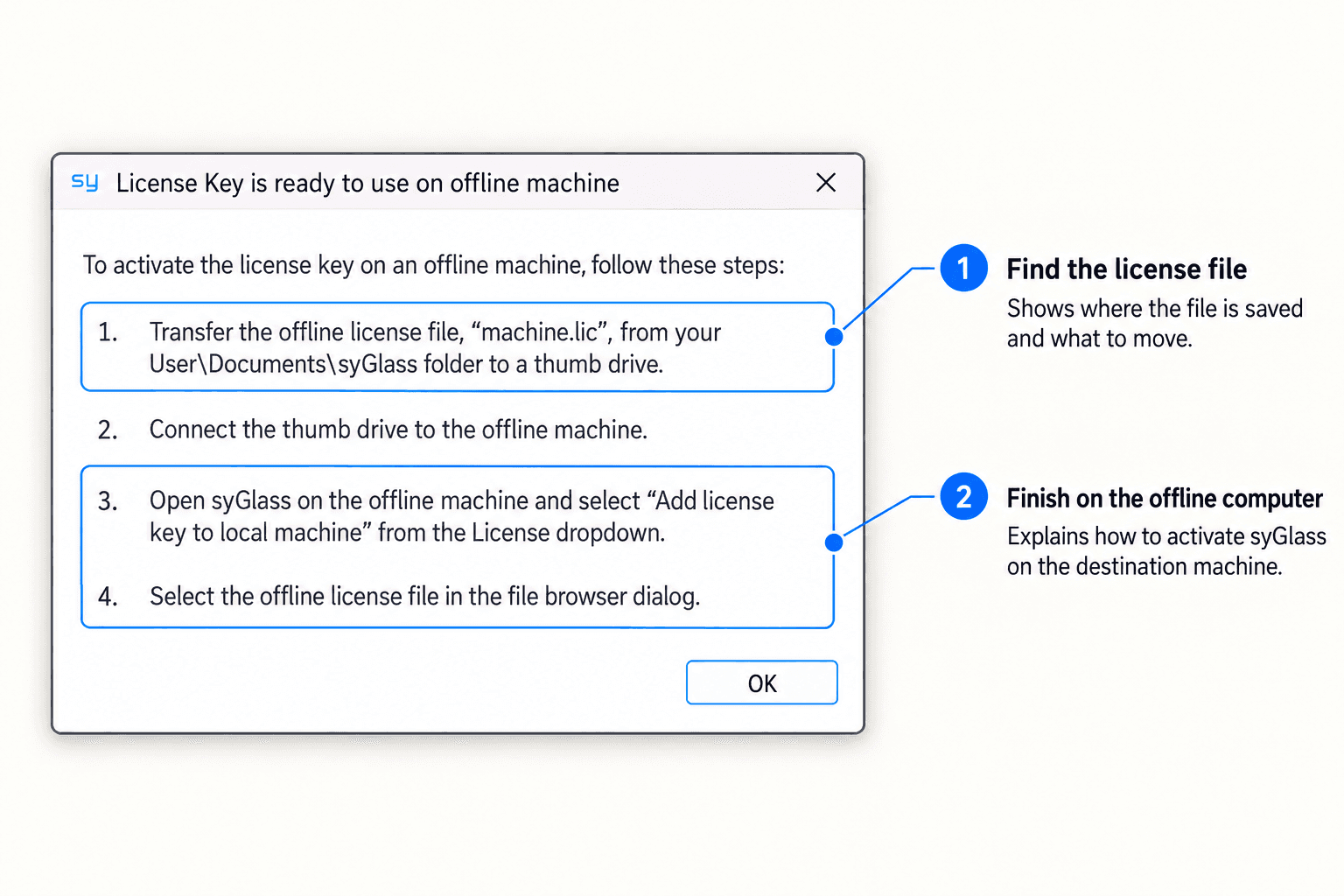
The connected computer could prepare the license, but a generated file was only an intermediate result. The researcher still needed working access on the offline machine, and closing the first dialog didn’t mean syGlass was ready to use.
I included the cross-computer handoff in the flow, with guidance that connected what the researcher had prepared on the first machine to what they still needed to do on the offline one.
Offline licensing shipped, giving researchers a way to activate syGlass on restricted lab computers. Customers could use a license they already owned without connecting those computers to the internet, while the existing seat limits remained in place.